Beginner’s Guide to CS2: Everything You Need to Know for Comfortable Gameplay from the First Minutes
Just downloaded Counter-Strike 2 and don’t understand how everything works here? Then this guide was created specifically for you, and congratulations—you made the right choice by deciding to join our community! If you master CS2, a huge world will open up before you, where you can spend countless evenings playing solo or watching tournaments with friends alongside a multi-million audience. You can even earn money here! But that’s not what we’re here for now. Let’s start getting familiar with the game to make your life easier in the early stages.
Game Modes: Where to Start and What to Expect
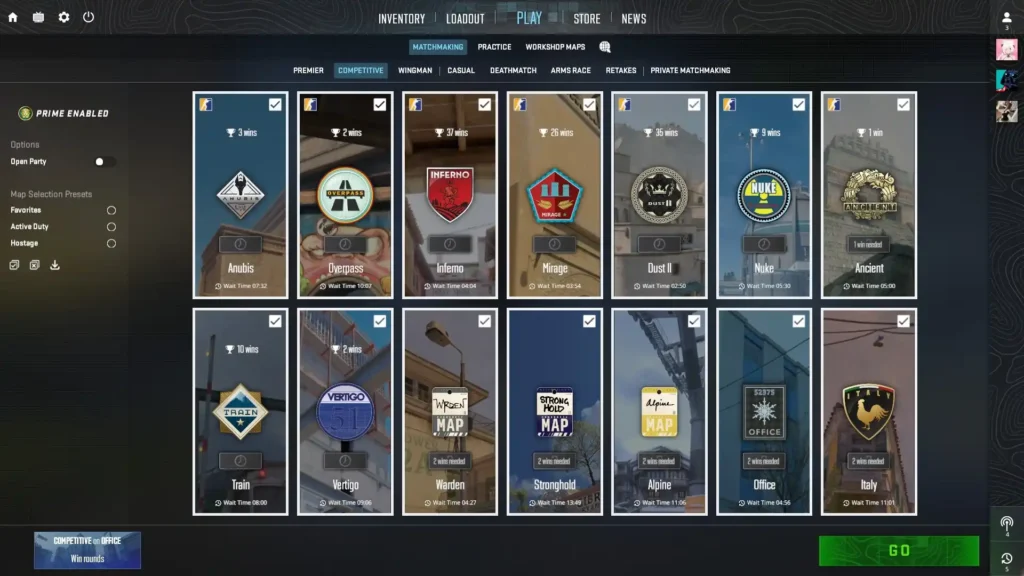
CS2 has many modes, and not all are equally friendly to beginners. Select “Play” in the main menu.
- Casual – the best starting point. 10v10 players, automatic armor, more starting money, no harsh penalties for death. Here you can calmly learn maps, try weapons, and not worry about toxic teammates. Matches are shorter, more relaxed, and provide an opportunity to study the maps.
- Deathmatch – infinite respawns (instant revival after death), everyone shoots everyone, and maps change every 10 minutes. Perfect for shooting practice: you get used to recoil and learn to aim quickly.
- Arms Race – a fun and dynamic mode. Kill enemies and get new weapons, from pistol to knife. Great for getting familiar with the entire arsenal and learning to shoot with different guns. Matches are short with lots of fun.
- Competitive – classic 5v5, format close to professional level. More serious matches where you can earn a rank on each individual map. We recommend getting familiar with the “real” CS here.
- Premier – even more similar to the pro scene, but with a global numerical rating where many really care about results. The main downside for beginners is map voting (they might choose one where you know nothing) and a more toxic atmosphere.
- Retakes – one team defends an already planted bomb, the other tries to retake the site. Great for learning the most important part of the round—post-plant situations.
- Practice/Offline with Bots – for calm map practice or settings adjustments.
Start with Casual and Deathmatch. When you feel like you’re getting about as many kills as deaths, move on to Competitive.
Basic Settings: Make the Game Comfortable and Manageable
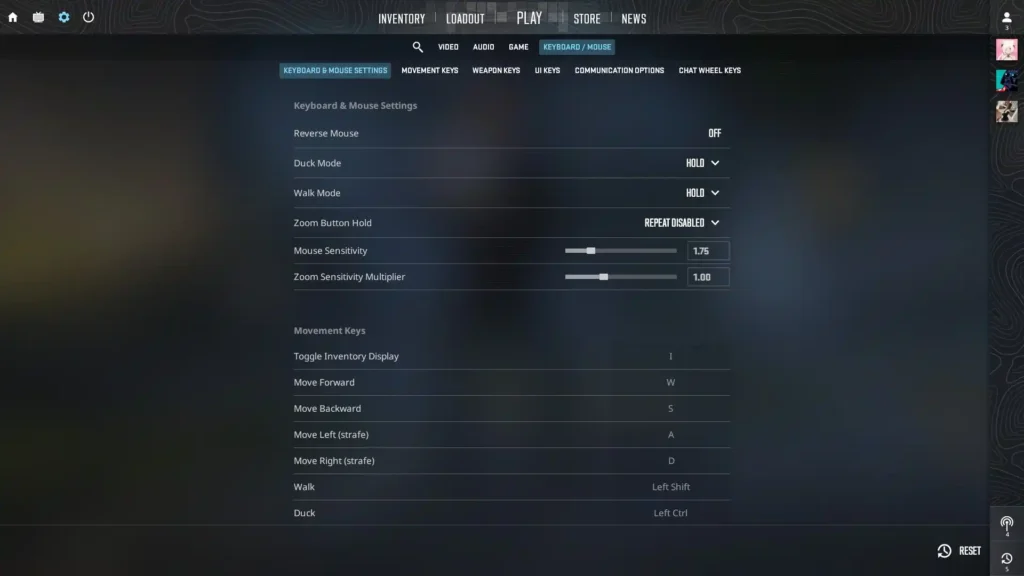
Before jumping into a match, spend 10-15 minutes on settings. Proper parameters greatly affect comfort level and how quickly you’ll progress. The game has quite a few video settings that are “complex” for beginners, so it’s better to set all parameters based on the game’s own recommendations.
Mouse Sensitivity and Crosshair
Don’t skip these sliders. This is probably the most important setting for a beginner. If it’s too high, your crosshair will jerk around and you won’t hit even a standing enemy. If it’s too low, you’ll turn slowly and won’t be able to react in time.
- Mouse DPI: 400-800 (this is a setting in mouse drivers, not in-game). Most players use 400 or 800.
- In-game sensitivity: at 400 DPI – 2.0-3.0, at 800 DPI – 1.0-1.5.
- Enable Raw Input – this disables Windows acceleration and makes mouse movement predictable.
- Disable mouse acceleration in Windows (in system settings).
How to find your sensitivity? Go into Deathmatch or a training map and try moving your crosshair over bot heads. Ideally, you should be able to make a full 180° turn with a mouse movement of approximately 30-40 cm across your mousepad. Don’t copy pro players’ sensitivity right away—everyone has their own style.
It’s also useful to configure your crosshair. There are crosshair codes in the settings—start with a simple static green one. A popular option for beginners: classic with a dot in the center. You can experiment later.
Control Keys and Other Details
The default layout in CS2 is convenient, but make sure you know the basic binds:
- Movement: WASD
- Crouch: Ctrl (important for cover)
- Walk: Shift (slow movement without sound, enemies won’t hear you)
- Jump: Space (jump over obstacles or onto them. Keep in mind you can’t jump everywhere)
- Buy weapons: B (opens menu at round start. You can only buy weapons at the beginning of the round and at your base)
- Quick weapon switch: Q. “1,2,3,4” – Primary weapon, pistol, knife, grenades
Don’t change everything at once—get used to the defaults for a couple of days. Later you can bind jump to scroll wheel or set binds for grenades (each grenade gets its own key).
Buy a Couple of Inexpensive Skins
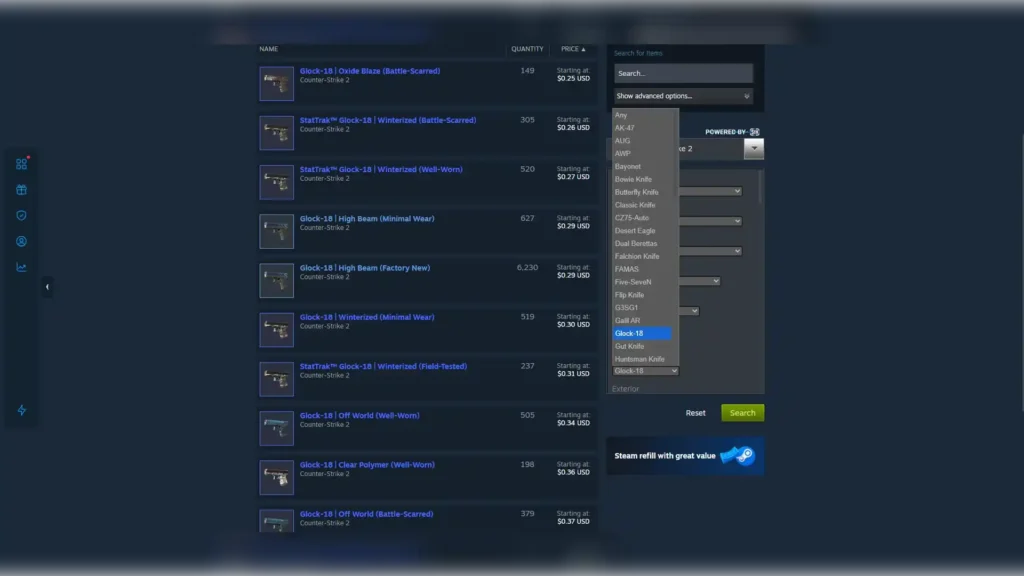
Sounds strange, but it works. CS2 will be tough at first: you can’t get kills, you encounter toxic teammates, and you die in a second. To avoid quitting the game after a week, make it visually more pleasant.
Go to the Steam market and buy a couple of simple skins for your main weapons (or just the ones you play with most often). Don’t spend much—there are tons of beautiful budget skins for a couple of bucks. Beautiful weapons with inspect animations (F key) really boost morale and confidence. If you play regularly, you’ll eventually recoup your investment through weekly drops (rewards for leveling up that refresh every Wednesday).
Workshop Maps for Warm-up and Training
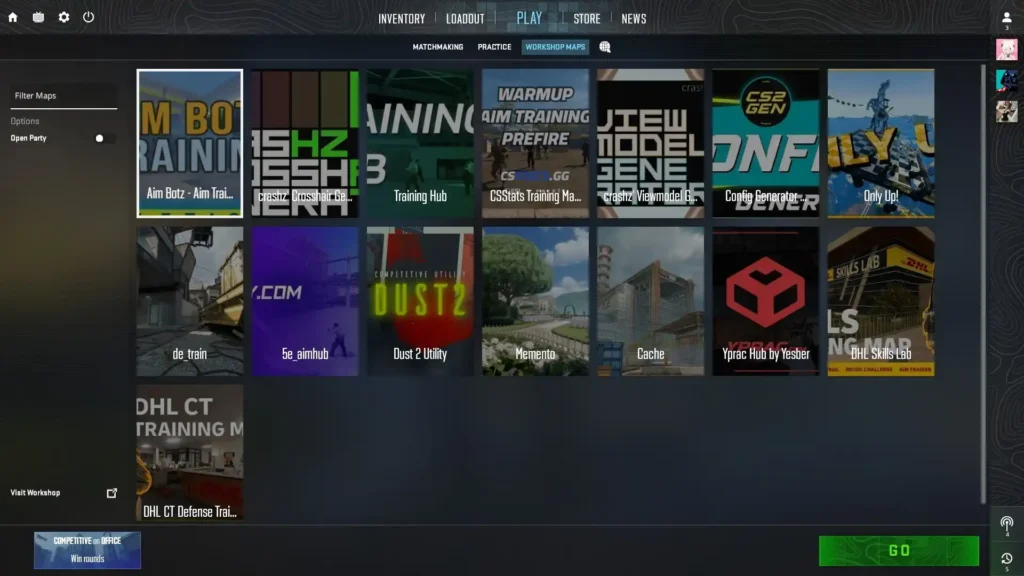
Warming up before a match isn’t optional—it’s necessary. 10-20 minutes of practice significantly improves results. Go to “Workshop” and subscribe to popular maps:
- Aim Botz – infinite bots of different sizes and speeds. Train flicks, tracking, and accuracy.
- Recoil Master / Spray Pattern – teaches you to control each weapon’s recoil. Shows bullet trajectory.
- Yprac Arena or Training Center – comprehensive maps with pre-fire (aiming at the right spots in advance), grenades, and movement.
- KZ / Bhop maps – for training jumps and movement (later, once you master the basics).
How to use: subscribe → go to “Play” → “Workshop” → select map. Add your favorites to bookmarks.
Basic Game Rules: How Matches Actually Work
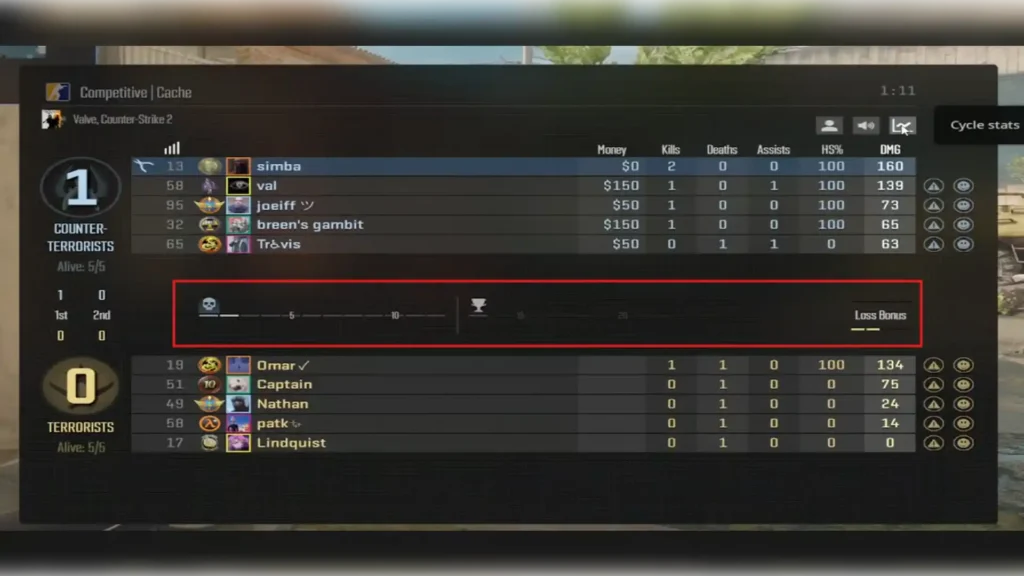
CS2 is a 5v5 team tactical shooter. There are two sides:
- Terrorists (T) – goal: plant the bomb (C4) at one of two sites (A or B) and prevent it from being defused, or kill all CTs. The bomb explodes 40 seconds after planting.
- Counter-Terrorists (CT) – prevent the bomb from being planted, defuse it (requires a defuse kit or 10 seconds without one), or kill all Ts.
A match consists of 24 rounds (2 halves of 12). After 12 rounds, sides switch. The team that reaches 13 rounds first wins. If it’s 12:12, there’s overtime (in Competitive mode, it will be counted as a “tie”).
Each round starts with freeze time (15 seconds)—you can’t move but can buy. If the bomb isn’t planted and round time (1:55 seconds) runs out—CT wins.
Economy, Weapon Buying, and Grenade Tips
Economy is the heart of CS2. Don’t waste money carelessly, buy together with your team (if you see the team is left with pistols—save money and don’t buy anything). Watch for terms you’ll hear from teammates in voice chat:
- Full buy/Force buy – buying at maximum capacity
Eco – saving, buying only pistols or nothing, so next round you can full buy
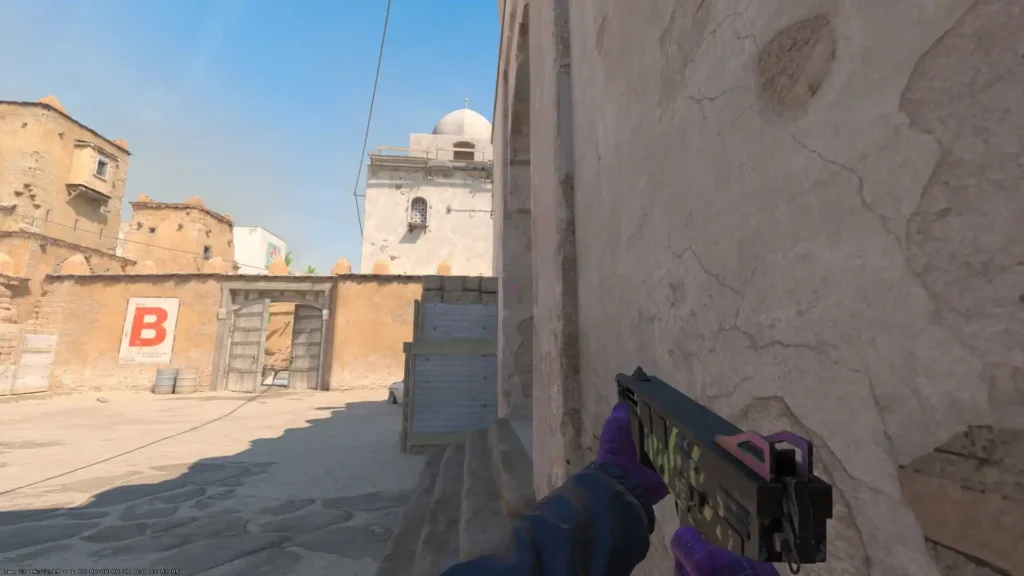
Weapon and Shooting Recommendations for Beginners:
- SMGs (MP9, MP7, P90, MAC-10) – cheap (can buy almost every round), simple recoil (you can even shoot while running), give more money for kills ($600 instead of $300).
- Shotguns (Nova, MAG-7, XM1014) – perfect for CT at close points. Stand as close as possible to where enemies exit (behind a door, behind a wall near tunnels, behind boxes) and kill enemies with one or two shots.
- Grenades – beginners should minimize their use. Flashbangs can blind teammates, incorrect smokes can help enemies (and you need to know the right ones), and molotovs or HE grenades can damage allies. Once you get comfortable—start learning basic grenades from YouTube guides or Workshop maps.
- Armor and Kit – always get armor + helmet, as CT—defuse kit (when possible).
- Shooting – always keep your crosshair at the center of the screen (or better yet, toward where an enemy might appear). Most importantly—don’t look at the floor, so you don’t waste time aiming.
Conclusion
CS2 is a deep game that rewards those who spend more time with it. Don’t get discouraged by early losses—every top player was once in your position. Warm up every day, learn maps, meet players, and before you know it, you’ll start winning rounds solo. Good luck in your matches, may your shots be accurate and your teammates adequate!

Alex
Alex is an author and esports observer with more than seven years of experience. He specializes in analyzing new releases in the world of computer games, gaming services, and in-game economies. Alex shares practical experience and an expert perspective on the development of gaming, helping readers understand complex mechanics and stay up to date with the latest news.

